
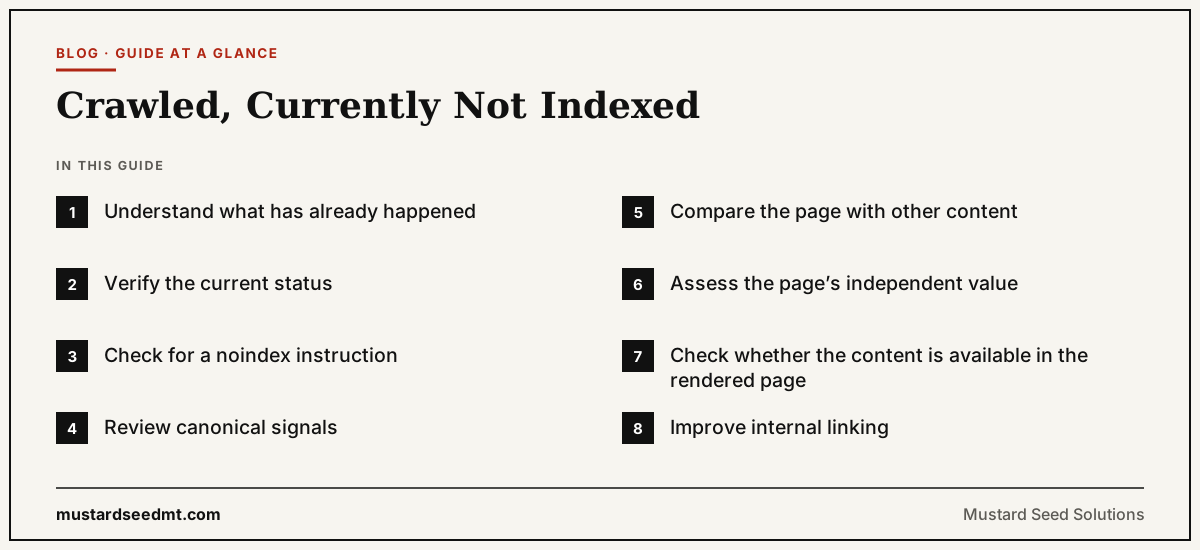
“Crawled, currently not indexed” means that Google has accessed a page but has not added it to the search index at that time.
This Search Console status can be frustrating because the technical crawling stage has already occurred.
Google knows the page exists. Googlebot has retrieved it. However, the page is not currently eligible to appear through normal search results because it has not been selected for indexing.
The status is not necessarily a manual penalty.
It does not automatically mean the website violated a spam policy.
Google does not guarantee that every crawled page will be indexed, even when it meets the minimum technical requirements.
The correct response is to investigate why the page may not deserve a separate place in the index.
Understand what has already happened
This status confirms that discovery was successful.
Google found the URL and crawled it.
The next question is what Google found when it processed the page.
Possible explanations include:
The page duplicates another URL
The content is too similar to existing pages
Google selected a different canonical
The page provides limited independent value
The page contains a technical indexing instruction
The page was crawled during a temporary problem
Google has not yet completed or updated its indexing decision
The status alone does not identify the exact cause.
Website owners must examine the page, its technical signals, and the wider site structure.
Verify the current status
Begin with the URL Inspection tool in Search Console.
Check whether the URL is currently indexed, which canonical Google selected, and whether the live page can be accessed.
Search Console reports can contain historical data, and processing delays may occur.
A page that appears in the grouped report as excluded may have been indexed after the report was generated.
Do not immediately rewrite or delete a page based on one report label.
Confirm the present situation first.
Check for a noindex instruction
A noindex directive tells Google not to include the page in search results.
It can appear in a robots meta tag within the HTML or in an HTTP response header.
This instruction is sometimes left behind after a website moves from a development environment to the public domain.
It may also be added by a content management system, SEO plugin, ecommerce setting, or page template.
If the page should be indexed, remove the unintended noindex instruction and request recrawling.
Remember that Google must be able to crawl the page to see the directive.
Blocking a page through robots.txt can prevent Google from reading a noindex tag.
Review canonical signals
Canonicalization helps Google manage duplicate or very similar pages.
A website can suggest its preferred URL through a canonical tag, redirects, sitemap inclusion, and consistent internal linking.
Google treats these as signals and may choose a different canonical when its systems consider another URL more suitable.
Check whether:
The page points to itself as canonical
The canonical points to another page
Internal links use a different version
The sitemap lists a different URL
HTTP and HTTPS versions both exist
Several parameter URLs contain the same content
Google selected another page as canonical
Conflicting signals can make it difficult to understand which URL should be indexed.
Choose one preferred URL and make the website consistent.
Compare the page with other content
A page may be crawled but not indexed because it is too similar to another page.
This is common on websites containing:
Repeated location pages
Product variations
Tag and category archives
Printer friendly versions
Duplicated service pages
Near identical articles targeting related keywords
Supplier product descriptions
Automatically generated pages
Search engines do not need to index every duplicate version.
Google’s ranking systems include deduplication processes designed to avoid showing several similar results when one representative page is sufficient.
Search the website for sentences, headings, and sections copied from the affected page.
Determine whether the page has a distinct purpose.
If two pages serve the same intention, combining them may be better than expanding both with filler text.
Assess the page’s independent value
A technically valid page can still provide little reason for separate indexing.
Consider a service company that creates fifty pages by replacing only the city name.
Each page contains the same introduction, service list, process, and call to action.
The pages may be crawlable, but they offer limited local information.
A useful location page could include local service conditions, travel coverage, customer examples, regulations, project details, contact information, and other genuinely location specific material.
The purpose is not to increase the word count.
The purpose is to create a page that answers a distinct need.
Ask:
What question does this page answer?
Who needs this page?
How is it different from other pages?
Does it provide original information?
Would users lose something useful if the page disappeared?
These questions are more productive than asking whether the article has reached a minimum number of words.
Check whether the content is available in the rendered page
Some websites use JavaScript to load important content.
A human visitor may see the completed page while Google initially receives limited HTML.
Google can process JavaScript in many situations, but implementation problems can still prevent important content or links from appearing correctly.
Use Search Console’s live test to review the rendered page.
Check whether the main text, headings, links, images, product information, and structured content are present.
Google’s developer guidance recommends using URL Inspection or testing tools to see how Google views the site, because Google may not always receive the same content a normal browser displays.
Fix the rendering issue rather than adding more content that Google still cannot access.
Improve internal linking
A page can be indexed without many internal links, but weak linking makes its role less clear.
Important pages should be connected from other relevant parts of the website.
An article about toxic backlinks might receive links from a broader backlink guide, an SEO audit page, and related technical articles.
A product page should appear in a category and relevant recommendation pages.
A service page should be reachable through navigation and supporting content.
Internal links help Googlebot discover pages and understand their context. Google recommends ensuring that all important URLs can be reached from another discoverable page.
Use descriptive link wording that helps users understand the destination.
Examine the page template
Sometimes the problem affects an entire group of pages rather than one URL.
A template may contain:
The wrong canonical tag
An accidental noindex
Missing main content
Duplicated titles
Very little visible text
Broken links
Incorrect status codes
JavaScript rendering failures
Review several pages with the same status.
If they share one template or content type, fix the pattern before editing pages individually.
Search Console’s grouped reports are useful for recognizing these larger issues.
Review sitemap inclusion
An XML sitemap should contain canonical URLs that the business wants indexed.
Google recommends including URLs that you want to see in search results.
If a page is not worth indexing, remove it from the sitemap.
If it is worth indexing, ensure that the sitemap URL matches the canonical URL and the version used in internal links.
Sitemap inclusion is only a signal.
It does not override a canonical pointing elsewhere, duplicate content, or a noindex directive.
Do not assume that adding more words will fix it
One of the most common responses to indexing problems is expanding the page.
Additional content helps only when it adds useful and distinct information.
Adding generic introductions, repeated definitions, or unrelated frequently asked questions can make the page longer without making it more valuable.
Improve the page based on user need.
Add examples, evidence, original data, specific service details, comparison information, or practical experience where relevant.
Remove unnecessary material that obscures the main purpose.
A clear 600 word page can be stronger than a repetitive 2,000 word page.
Consider consolidating overlapping pages
When several pages compete for the same search intention, consolidation may be the strongest option.
Choose the page with the best content, links, history, or commercial purpose.
Move useful information from weaker pages into the main page.
Redirect outdated duplicates where appropriate.
Update internal links and sitemap entries.
This produces one stronger destination rather than several weak pages.
Consolidation can also make the website easier for users to navigate.
Build external recognition where appropriate
Not every indexing problem can be solved through on page editing.
A new website with no links, mentions, customers, or wider market presence may struggle to establish the importance of its pages — a site authority problem more than a technical one.
External links can help Google discover and understand which pages receive recognition.
This does not mean purchasing large numbers of artificial backlinks.
Useful resources, research, partnerships, public relations, professional contributions, and customer relationships can create legitimate references.
A page should first deserve the reference.
Request indexing after meaningful changes
After fixing a technical issue or substantially improving an important page, use URL Inspection to request indexing.
Do not submit the same unchanged page repeatedly.
A request does not force Google to include the page.
It simply asks Google to revisit it.
Allow time for the page to be recrawled and processed.
Monitor the page’s current status, impressions, and appearance in search results rather than pressing the request button every day.
When deletion is the right answer
Some pages should not be indexed.
A duplicate tag page, empty category, expired campaign, obsolete product, or internal search result may provide no continuing value.
In these cases, the appropriate response may be deletion, redirection, consolidation, or noindex.
The objective is not to achieve a one hundred percent indexing rate.
The objective is to have the right pages indexed.
A healthy website can contain valid excluded pages.
A practical response plan
First, verify the URL’s current state through URL Inspection.
Check indexing directives, status codes, rendering, and canonical signals.
Compare the page with similar content.
Evaluate whether it serves a distinct customer need.
Improve internal links.
Correct template problems.
Clean the sitemap.
Consolidate overlapping pages.
Request indexing only after making meaningful changes.
“Crawled, currently not indexed” is not a request to make every page longer.
It is an invitation to examine whether the page is technically consistent, distinct enough to deserve indexing, and properly connected to the wider website.
The best response is often strategic rather than purely technical.