
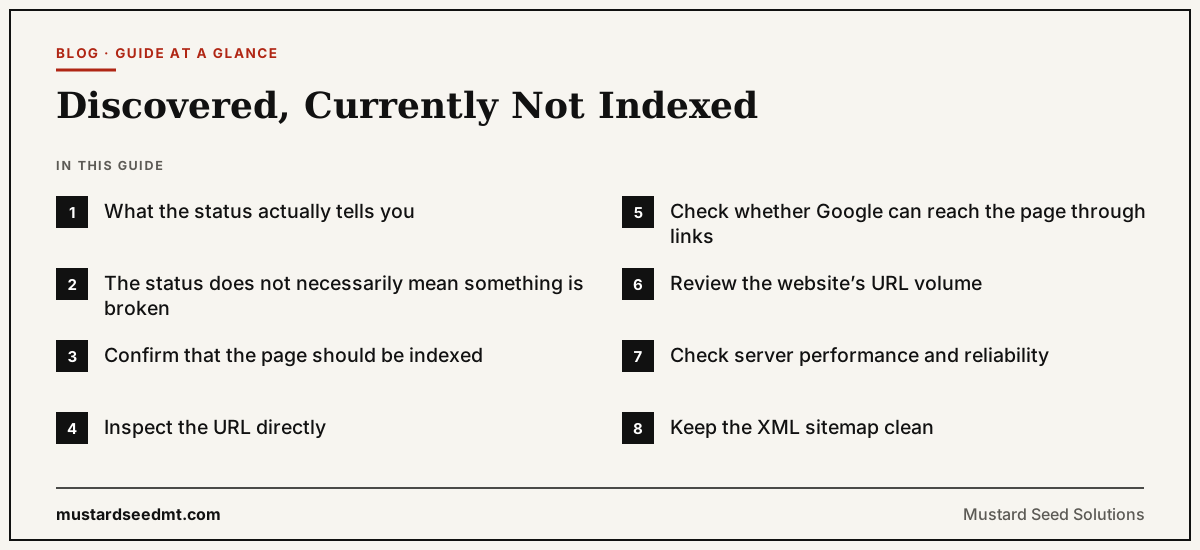
“Discovered, currently not indexed” is one of the most confusing statuses shown in Google Search Console.
The message means that Google knows the URL exists, but the page has not yet been crawled and added to the Google index.
Discovery and indexing are different stages.
Google may discover a URL through an internal link, an external backlink, an XML sitemap, a redirect, or another source. Once the URL is known, Google decides when and whether to crawl it.
A discovered page is not automatically guaranteed to be crawled. A crawled page is not automatically guaranteed to be indexed. Google states that meeting its basic technical requirements does not guarantee that a page will be crawled, indexed, or shown in search results.
The status should therefore be treated as a diagnostic signal rather than a penalty.
What the status actually tells you
When Search Console reports “Discovered, currently not indexed,” Google has found the URL but has not yet retrieved the page.
This is different from “Crawled, currently not indexed,” where Google has already accessed the page and decided not to index it at that time.
The difference affects how the problem should be investigated.
With a discovered page, the first questions concern discovery quality, crawl prioritization, server capacity, and website structure.
With a crawled page, the investigation moves towards content value, duplication, canonicalization, and indexing eligibility.
Google specifically discusses large websites with substantial numbers of URLs marked “Discovered, currently not indexed” in its crawl budget guidance. The guidance is mainly intended for very large or frequently changing websites, not ordinary small business sites.
The status does not necessarily mean something is broken
A newly published page may remain discovered but not indexed for a period without indicating a serious technical error.
Google must choose how to allocate crawling resources across an enormous number of websites and URLs.
A new article from a frequently crawled publication may be retrieved quickly. A page on a new or rarely updated website may take longer.
The status becomes more important when valuable pages remain there for a long time or when a large percentage of the website is affected.
One delayed page may require patience.
Thousands of delayed product, service, or category pages may reveal a structural issue.
Confirm that the page should be indexed
Before trying to fix the status, determine whether the URL belongs in Google’s index.
Not every website URL should appear in search results.
Examples of pages that may not require indexing include:
Internal search results
Filtered navigation combinations
Shopping cart pages
Account pages
Duplicate print versions
Tracking URLs
Temporary campaign pages
Administrative sections
If a URL has no independent value to search users, the correct solution may be to remove it from the sitemap, consolidate it, redirect it, or prevent it from being generated.
Trying to force every possible URL into the index can create a larger crawling problem.
Inspect the URL directly
Use the URL Inspection tool in Google Search Console to review the individual page.
The tool can show whether Google knows the URL, whether the page is indexed, and whether a live test can access it.
Do not rely only on the summary report.
Search Console reports are grouped and can update at different times. The status shown in a report may not always represent the most recent crawl or indexing event.
A live test helps confirm whether Google can currently access the page.
You can also search for the exact URL or page title, although Google warns that the site: search operator does not necessarily return every indexed URL.
URL Inspection is generally the more useful diagnostic tool for a specific page.
Check whether Google can reach the page through links
Googlebot navigates between URLs through crawlable links, sitemaps, and redirects.
Google recommends ensuring that every important page can be reached through a link from another discoverable page.
A page that appears only in an XML sitemap may be discovered, but it may not appear important within the website.
This is common with orphan pages.
An orphan page has no useful internal links pointing to it.
The page may have been published by a content management system and added automatically to the sitemap, but users cannot find it through the site’s navigation or related content.
Important pages should receive relevant internal links.
A new article could be linked from its category page and related articles. A service page could be linked from the main navigation, homepage, or relevant guides. A product should appear in an appropriate category.
Internal links should support users as well as search engines.
Review the website’s URL volume
Many indexing problems begin because a website creates far more URLs than it needs.
Ecommerce filters can generate thousands of combinations.
Calendars can create endless future dates.
Internal search systems can produce a URL for every query.
Tracking parameters can create several versions of the same page.
When Google discovers a large space of repetitive or low value URLs, crawling resources may be spent inefficiently.
The solution is not necessarily to ask Google to crawl more.
The better solution may be to reduce the number of unnecessary URLs exposed to crawlers.
Review how the website generates filters, tags, archives, parameters, pagination, and duplicate variations.
The crawlable website should reflect the pages that genuinely deserve discovery.
Check server performance and reliability
Google adjusts crawling partly to avoid overloading websites.
If a server responds slowly, returns errors, or becomes unavailable during periods of crawling, Google may reduce request activity.
Review server logs and hosting performance.
Look for repeated server errors, timeouts, security systems blocking Googlebot, and rate limiting rules.
A website may work normally for a human visitor while responding inconsistently to repeated automated requests.
Large websites should pay particular attention to server capacity because Google’s crawl budget guidance focuses on balancing crawling demand with the site’s ability to respond.
Small websites rarely need advanced crawl budget work, but they still need reliable hosting.
Keep the XML sitemap clean
A sitemap tells Google which URLs the publisher considers important.
Google recommends including the canonical URLs that you want to see in search results.
A sitemap should not contain:
Redirecting URLs
Pages returning errors
Duplicate variations
URLs blocked from indexing
Temporary tracking URLs
Pages the business does not want in search
When a sitemap contains a large number of weak or conflicting URLs, it becomes a less useful statement of website priorities.
Submitting a new sitemap repeatedly does not solve the underlying issue.
The sitemap should accurately reflect the website’s important indexable pages.
Improve website structure before blaming crawl budget
The phrase “crawl budget” is frequently used too quickly.
Google’s advanced crawl budget guidance is designed mainly for websites with millions of pages, tens of thousands of rapidly changing pages, or a significant proportion of discovered but uncrawled URLs.
A small business website with fifty pages usually does not have a genuine crawl budget problem.
Its problem may be weak internal linking, duplicate URLs, technical blocking, poor server responses, or pages that are not integrated into the site.
Before investing in complicated crawl optimization, fix the basic website structure.
Make every important page reachable.
Remove unnecessary URL variations.
Keep the sitemap accurate.
Confirm that the server responds properly.
Evaluate whether the page is genuinely important
Search engines cannot treat every page as equally valuable.
The website should communicate priorities through navigation, internal linking, content organization, and external recognition.
A page that receives no links, belongs to no clear category, and answers no distinct customer question may not appear important.
Ask why the page exists.
Does it target a real search need?
Is it different from other pages?
Does it support a service, product, or customer journey?
Would a visitor benefit from finding it?
If the answer is unclear, technical indexing work may not solve the deeper problem.
Avoid changing the URL without a clear reason
Some website owners respond to indexing delays by changing the page’s URL.
This creates a new URL for Google to discover, but it can also create additional problems.
The old URL may need a redirect. Internal links must be updated. Existing backlinks may point to the old version. Analytics history becomes divided.
Changing a URL should be based on a genuine structural or usability reason, not used as a routine indexing trick.
It is usually better to improve the existing page and its internal connections.
Should you request indexing manually?
Search Console allows site owners to request indexing for individual URLs.
This can be useful for a small number of important new or substantially updated pages.
It is not a scalable solution for a website with thousands of affected URLs.
A request does not guarantee crawling or indexing.
If the underlying problem is weak website structure, server instability, duplicate content, or excessive URL creation, repeated requests will not fix it.
Use the request after confirming that the page is accessible, canonical, internally linked, and worth indexing.
When to take action
Take closer action when:
Important pages remain affected for an extended period
A large section of the website is affected
Googlebot rarely accesses the site
Server logs show errors or blocked requests
The website generates large numbers of duplicate URLs
Important pages exist only in the sitemap
Internal linking is weak or inconsistent
Begin with the largest patterns rather than repeatedly inspecting individual URLs.
A practical response
First, confirm that the page should appear in search.
Inspect the URL in Search Console.
Check whether the page returns a successful response and is not blocked.
Add relevant internal links.
Remove unnecessary duplicate and parameter URLs.
Clean the XML sitemap.
Review server reliability.
Then allow time for Google to revisit the website.
“Discovered, currently not indexed” does not mean that Google has permanently rejected the page.
It means Google knows the URL but has not yet completed the next stages.
The best response is not to search for a forcing mechanism.
The best response is to make the website easier to crawl and make its important pages unmistakably worth prioritizing.