
Why ChatGPT Doesn't Recommend Your Business, and How to Find Out
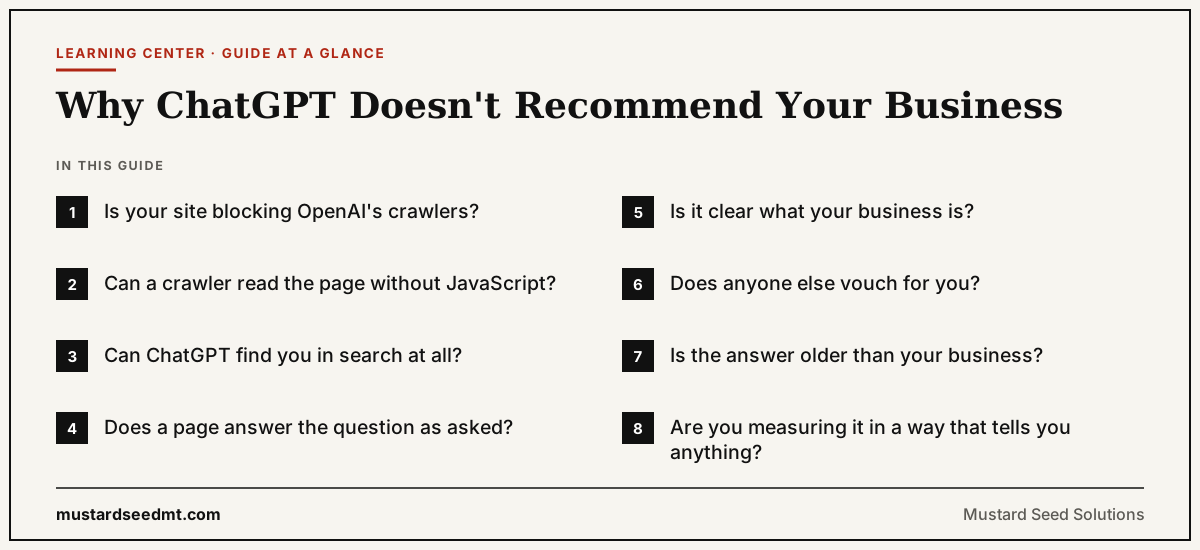
ChatGPT usually leaves a business out for one of four reasons: it cannot read your site, it cannot find you in search, none of your pages answers the question it was asked, or other sources describe your category more convincingly than you do. Work through them in that order. The first takes two minutes to check and the last takes months to fix, so there is no point starting at the end.
Start by looking at what ChatGPT actually says
Before you change anything, ask ChatGPT the question a buyer would ask, worded the way they would word it. Not "is Acme Consulting good" but "who are the best B2B marketing consultants for a 20-person software company". Ask it three or four times in fresh chats, because the answer changes from run to run.
Then note one thing about each answer: did ChatGPT search the web for it? An answer with links to sources came from live search. An answer without them came from what the model learned in training. The two fail for different reasons. A business missing from search answers usually has a problem you can fix this month, in checks 1 to 4. A business missing from answers given from memory has a problem that only time and other people's coverage of you will fix, in checks 6 and 7.
| Check | Symptom | How to check | Time to fix |
|---|---|---|---|
| 1. Crawler access | Your pages never appear in ChatGPT search, even for your own name | Read robots.txt for OAI-SearchBot and ChatGPT-User | Minutes |
| 2. Readable without JavaScript | ChatGPT describes your site vaguely or gets basic facts wrong | View the page source and look for your main text | Days |
| 3. In the search index | Competitors appear, you never do, on any question | Check your pages are indexed in Bing Webmaster Tools | Days to weeks |
| 4. A page that answers the question | You appear for your name but not for questions about your category | Ask the buyer's real question and compare it with your headings | Weeks |
| 5. A clear description of the business | ChatGPT mixes you up with another company, or hedges | Compare how your site, LinkedIn and directories describe you | Weeks |
| 6. Other sources vouching for you | You appear when asked about directly, not in "best" lists | Search for your name off your own site | Months |
| 7. Current information | ChatGPT quotes an old price, an old name, or nothing | Ask what it knows about you with search on, then off | Weeks |
| 8. Measurement you can trust | One answer says yes, the next says no | Run the same questions on a schedule and log the results | Ongoing |
Check 1: Is your site blocking OpenAI's crawlers?
OpenAI uses three crawlers and they do different jobs. GPTBot collects content for training models. OAI-SearchBot finds pages to show in ChatGPT search answers. ChatGPT-User fetches a page when someone in a conversation asks ChatGPT to look at it. Blocking GPTBot keeps you out of training data. Blocking OAI-SearchBot keeps you out of search answers, which is usually not what anyone intended.
It happens more often than you would expect. In our study of 797 reachable websites, 11.2% blocked GPTBot, 3.6% blocked ChatGPT-User and 2.5% blocked OAI-SearchBot. Many of those blocks came from a plugin, a template or a hosting default rather than a decision. Your content delivery network can add rules too: some, Cloudflare among them, offer to manage robots.txt for you and will put their own AI crawler rules at the top of the file you wrote.
Check the file your site actually serves, not the one in your project. Open yourdomain.com/robots.txt in a browser and read it from the top.
Check 2: Can a crawler read the page without running JavaScript?
A page built entirely in the browser arrives as an almost empty HTML file plus a script that fills it in. A person never notices. Several AI crawlers fetch only that first HTML file and do not run the script, so to them the page has a title and nothing else.
To check, open the page, view its source rather than inspecting it, and search for a sentence from the middle of your main text. If it is not there, the crawler cannot see it either. The fix is to deliver the text in the HTML itself, by server rendering or by prerendering pages when the site is built. Most website builders already do this; custom single-page applications often do not.
Check 3: Can ChatGPT find you in search at all?
When ChatGPT searches, it does not crawl the whole web on the spot. OpenAI has said ChatGPT search draws on third-party search providers alongside its own crawling, and Microsoft's Bing has long been one of them. A site that Bing has barely indexed is a site ChatGPT search will rarely find.
Set up Bing Webmaster Tools if you have not already, submit your sitemap, and check that your important pages are indexed. Bing Webmaster Tools now also reports how often Microsoft Copilot cites your pages and for which queries, which is the closest thing to real AI citation data most businesses can get for free.
Check 4: Does any page answer the question the way it was asked?
ChatGPT rarely searches for your exact words. It breaks the question into several narrower searches, sometimes called fan-out: what the service costs, how providers compare, which suits a small team, what to ask before hiring. A page that covers the topic in general can lose to a page that answers one of those narrow questions directly.
Write down the questions your buyers ask on sales calls. For each one, find the page that answers it. If the answer is buried in the fourth paragraph, move it to the first two sentences under a heading worded like the question. If no page answers it, that is the page to write next. A short FAQ section helps here too, because each question and answer is a self-contained passage an assistant can lift as it is.
Check 5: Is it clear what your business is?
A model recommends things it can describe with confidence. If your homepage calls you a growth consultancy, your LinkedIn says marketing agency and your directory listings say web design, the model has three weak signals instead of one strong one, and it will often hedge or name somebody it can describe more clearly.
Pick one name, one category and one sentence about who you serve, and use them everywhere: your site, LinkedIn, Google Business Profile, directories and any partner pages. Add Organization schema to your site with links to those profiles. When a model knows little about you, it tends to fill the gap with details from competitors, so being plainly described is also protection.
Check 6: Does anyone else vouch for you?
Ask ChatGPT for the best providers in your category and look at where the answer comes from. It is mostly lists, reviews and comparisons published by other people. Your own site can explain what you do, but it cannot credibly rank you first, and models know that.
This is the slowest check to fix and usually the one that matters most for "best" and "top" questions. Reviews on the platforms your buyers use, a place on industry lists and directories, mentions in trade press and podcasts, and genuine participation in the forums where your buyers ask for advice all count. Do not try to manufacture them. A review campaign that reads as fake does more harm than having none.
Check 7: Is the answer older than your business?
When ChatGPT answers from memory, it can only know what was published before its training data was collected. A business founded since then, or one that has renamed itself or changed what it sells, may simply not exist in that memory, or exist in its old form. Nothing you publish today changes the model's memory until a future version is trained.
Live search is the way around it, which is why checks 1 to 3 come first. Once ChatGPT can find you, keep the pages it would quote current: prices, service names, team, and a visible updated date. A page with figures from two years ago reads as unreliable to a model for the same reason it does to a buyer.
Check 8: Are you measuring it in a way that can tell you anything?
One answer from ChatGPT is a sample, not a result. The same question gives different answers on different days, in different accounts and on different assistants, so a single screenshot cannot tell you whether anything worked.
Write down ten to twenty questions your buyers really ask. Run them once a month in ChatGPT, Gemini, Perplexity and Copilot, and record who gets named and which sources are cited. After three months you will see a trend, and you will know whether your fixes from the checks above made any difference.
Frequently Asked Questions
Why doesn't ChatGPT recommend my business?
Usually for one of four reasons: it cannot read your site because a crawler is blocked or the page needs JavaScript, it cannot find you in the search index it uses, none of your pages answers the question it was asked, or other sources describe your category more convincingly. Check them in that order.
Why does ChatGPT recommend my competitor instead of me?
Most often because more independent sources mention your competitor: reviews, industry lists, comparisons and press. For questions about the best providers, ChatGPT relies mainly on what others have published, so a competitor with more third-party coverage tends to be named even if your own site is better.
Does blocking GPTBot stop ChatGPT from recommending me?
Not on its own. GPTBot collects content for training models. Inclusion in ChatGPT search answers depends on OAI-SearchBot, a separate crawler. You can block GPTBot and allow OAI-SearchBot if you want to appear in search answers without your content being used for training.
How long does it take for ChatGPT to start recommending a business?
Fixing crawler access or JavaScript rendering can change search answers within days or weeks, once your pages are recrawled. Building the third-party coverage that gets you into best-of answers takes months. Answers ChatGPT gives from memory only change when a newer model is trained.
Can I pay to be recommended by ChatGPT?
No. Ads in ChatGPT are a separate placement from the answer itself, and buying them does not make the answer name you. Being recommended in the answer depends on the checks on this page.
Why does my business appear in Gemini but not in ChatGPT?
Each assistant uses different crawlers, search sources and models, so it is common to appear in one and not the other. Check that OpenAI's crawlers can reach your site and that you are indexed in Bing, since ChatGPT search draws on third-party search providers rather than Google's index.
Does ChatGPT use Google or Bing to search?
OpenAI has said ChatGPT search uses third-party search providers alongside its own crawler, and Microsoft's Bing has long been one of them. It does not search with Google's index, so ranking well in Google does not guarantee ChatGPT can find you.
Related Resources
AI Visibility: What It Is and How to Measure It
The full guide to measuring whether your brand appears in AI answers.
GEO for Small Business
Four practical ways a small business gets cited by ChatGPT and other assistants.
What Makes AI Recommend a Brand?
The signals behind why one brand is named over another.
When AI Borrows From Competitors
What happens when a model knows too little about you, and how to spot it.
AI visibility audit
Find Out Which Check You Are Failing
The AI Visibility Audit works through the three layers behind most of these checks: whether AI crawlers can reach and read your site, whether machines can tell what your business is, and whether you have pages worth quoting. It tests the questions your buyers actually ask and ranks every finding by impact, so you know what to fix first.
See the AI Visibility Audit