
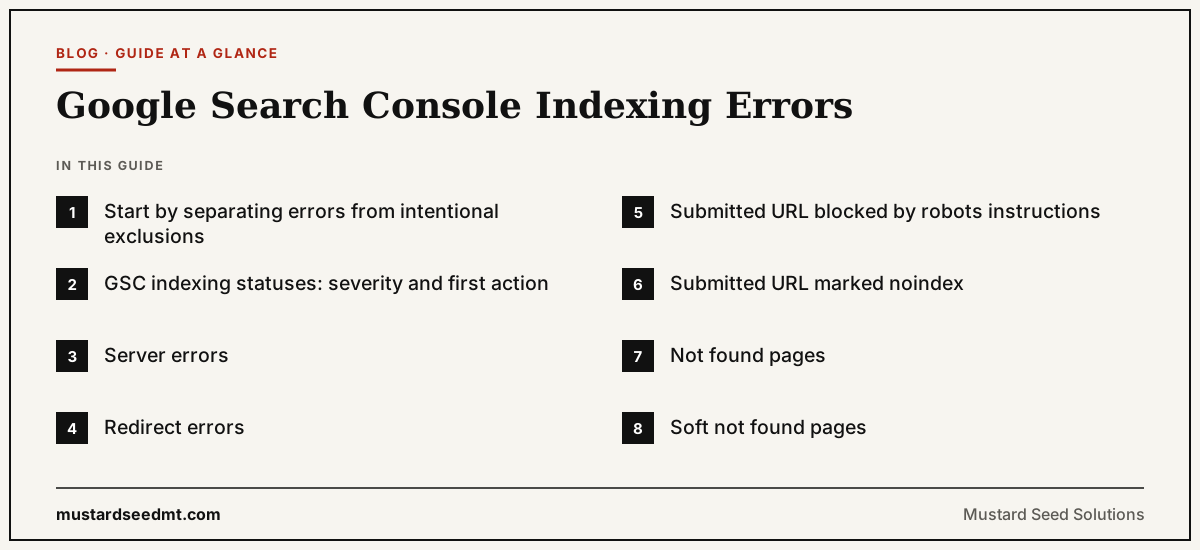
Google Search Console provides information about pages Google has indexed and pages that remain outside the index.
The Page Indexing report can contain many different reasons for exclusion.
Some of the Google Search Console indexing errors listed there represent serious technical problems. Others are normal and expected outcomes that need no action at all.
A website does not need every known URL indexed.
Redirects, duplicate versions, private pages, shopping carts, internal searches, and intentionally excluded content may correctly remain outside Google Search.
The objective is not to achieve a perfect indexing percentage.
The objective is to ensure that important and valuable pages are accessible, canonical, and eligible for indexing.
Understanding the report prevents businesses from wasting time fixing exclusions that are not actually errors.
Start by separating errors from intentional exclusions
Search Console may report that a page is not indexed without suggesting that something is broken.
For example, a page containing a valid noindex instruction should not appear in search.
A redirecting URL should normally lead Google to another page rather than remain indexed itself.
An alternate version with a proper canonical tag may be correctly consolidated under a preferred URL.
These are exclusions, but they may reflect the intended website setup.
Before taking action, ask whether the affected URL should appear in Google Search.
Only then decide whether the status requires a fix.
GSC indexing statuses: severity and first action
| Status | Usually a problem? | First action |
|---|---|---|
| Server errors | Yes — most important to investigate | Check server logs, hosting performance, firewall rules, and CDN settings |
| Redirect errors | Yes | Fix loops, chains, or invalid destinations, then test the complete path |
| Submitted URL blocked by robots instructions | Yes — signals conflict | Remove the accidental crawl block, or remove the URL from the sitemap |
| Submitted URL marked noindex | Yes — signals conflict | Remove the noindex and request recrawling, or remove the URL from the sitemap |
| Not found pages | Not always | Check whether removal was intentional; redirect only if a relevant replacement exists |
| Soft not found pages | Yes — ambiguous signal | Return a proper error status, or redirect to a relevant page |
| Blocked due to access restrictions | Not always | Test the page logged out; review security, firewall, and geo-restriction settings |
| Alternate page with proper canonical tag | Usually fine | Confirm the preferred version is accessible, indexable, and internally linked |
| Duplicate without user-selected canonical | Yes | Choose the preferred URL; use redirects or canonical tags; update internal links |
| Duplicate where Google chose a different canonical | Yes | Compare versions and make all signals consistent with the genuine preferred page |
| Discovered, currently not indexed | Not always | Check internal linking, sitemap inclusion, and low-value URL volume |
| Crawled, currently not indexed | Yes — worth investigating | Compare with similar content; review canonical tags, content, and internal links |
| Page with redirect | Usually expected | Confirm the redirect destination; remove from the sitemap; update internal links |
| Excluded by noindex | Not always | Serious only on important pages; review page templates and plugin settings |
Server errors
Server errors are among the most important issues to investigate.
They normally involve responses in the 500 range, timeouts, connection failures, or other situations where Googlebot cannot receive the page.
A temporary server error may occur during maintenance or a short hosting disruption.
Repeated errors can prevent crawling and reduce confidence in the website’s availability.
Check server logs, hosting performance, firewall rules, and content delivery settings.
Confirm whether the affected URLs work consistently rather than testing them only once.
Important pages should return stable and appropriate responses.
Redirect errors
Redirect errors occur when Google cannot follow the redirect successfully.
Possible causes include redirect loops, chains that are too long, invalid destinations, empty redirect targets, or URLs that exceed technical limits.
A redirect loop sends the crawler repeatedly between pages.
For example, page A redirects to page B, while page B redirects back to page A.
A chain sends the crawler through several unnecessary steps before reaching the destination.
Internal links should point directly to the final URL.
After fixing redirects, test the complete path and inspect the final destination.
Submitted URL blocked by robots instructions
This status indicates that a URL submitted through a sitemap cannot be crawled because the website’s robots.txt file blocks it.
The signals conflict.
The sitemap says the URL is important and should be discovered. The robots file says the crawler should not access it.
Decide what the business actually wants.
When the page should be indexed, remove the accidental crawling block.
When it should remain unavailable, remove it from the sitemap.
Remember that robots instructions primarily control crawling. They are not always the correct method for preventing a URL from appearing in search results.
Submitted URL marked noindex
This status occurs when a URL appears in a sitemap but contains an instruction telling Google not to index it.
Again, the signals conflict.
The sitemap should normally include pages intended for search results.
When the noindex is accidental, remove it and request recrawling.
When the exclusion is intentional, remove the URL from the sitemap.
This is a common problem after website development or redesign work.
A staging setting may remain active after launch, preventing important pages from being indexed.
Not found pages
A not found response is not always an error.
Pages are removed over time. Products disappear. Old events end. Links contain typing mistakes.
A correct 404 or 410 response tells search systems that the URL does not contain a page.
The problem becomes more serious when an important existing page unexpectedly returns not found.
Check whether the URL was removed intentionally.
When a suitable replacement exists, redirecting may preserve the user journey.
When no replacement exists, a normal not found response may be correct.
Do not redirect every removed page to the homepage. The destination should be relevant.
Soft not found pages
A soft not found page displays an error, empty result, or unavailable message while returning a successful 200 response.
To a crawler, the server claims that the page works even though the visible content suggests otherwise.
This creates ambiguity.
Examples include empty product pages, blank category pages, and messages saying that content no longer exists.
Return a proper error status when the page is gone.
When the page has a relevant replacement, use an appropriate redirect.
When the product is temporarily unavailable but the page remains useful, keep the successful response and provide accurate availability information.
Blocked due to access restrictions
Pages may remain unindexed because Googlebot encounters a login, authorization requirement, or another access barrier.
This can be correct for account pages, private documents, subscription areas, and administrative sections.
It is a problem when a public service, product, or article page accidentally requires authentication.
Test the page while logged out.
Review security plugins, firewall rules, geographic restrictions, and content delivery settings.
A page cannot be indexed reliably when the crawler cannot access the content.
Alternate page with proper canonical tag
This status usually indicates normal canonicalization.
Google found a duplicate or alternate version and is indexing another URL as the preferred version.
Examples include parameter URLs, print versions, and duplicate category paths.
No action is required when Google selected the correct canonical page.
Check that the preferred version is accessible, indexable, and internally linked.
The alternate URL should point clearly to the canonical destination.
The status becomes a problem only when the website intended the alternate page to be independently indexed.
Duplicate without user selected canonical
This status means Google found duplicate content but the website did not clearly identify a preferred version.
Google selected one on its own.
Review the affected group.
Choose the URL that should represent the content.
Use redirects where duplicate URLs are unnecessary.
Use canonical tags when multiple accessible versions must remain.
Update internal links and sitemap entries to point to the preferred page.
Consistency makes the intended version easier to understand.
Duplicate where Google chose a different canonical
This status means the website suggested one canonical URL, but Google selected another.
The decision may indicate conflicting signals.
Internal links may point to a different version.
The sitemap may contain the alternate URL.
The suggested canonical may redirect, return weaker content, or appear less complete.
Compare the versions carefully.
Do not simply repeat the canonical tag more aggressively.
Identify why the alternative appears more suitable and make all signals consistent with the genuine preferred page.
Discovered, currently not indexed
This status means Google knows the URL but has not yet crawled it.
New pages may remain in this state temporarily.
Larger patterns can indicate weak internal linking, excessive URL generation, server limitations, or low crawling demand.
Check whether the page should be indexed.
Make sure it is linked from relevant pages and included correctly in the sitemap.
Review whether the website exposes many duplicate or low value URLs.
Repeated manual indexing requests are unlikely to fix a structural issue.
Crawled, currently not indexed
This status means Google accessed the page but did not select it for indexing at that time.
Possible causes include duplication, weak differentiation, inconsistent canonical signals, rendering problems, or limited independent value.
Inspect the page and compare it with similar content.
Ask whether it answers a distinct customer need.
Review canonical tags, visible content, internal links, and sitemap inclusion.
Adding random text solely to increase the word count is not a reliable solution.
The page should become more useful and distinct, not merely longer.
Page with redirect
A redirecting URL is normally not indexed as a standard page because its purpose is to send users and crawlers elsewhere.
This status is usually expected.
Check that the redirect leads to the correct destination and does not create a loop or long chain.
Remove redirecting URLs from the XML sitemap.
Update internal links so they point directly to the destination.
The old URL may remain in reports for some time because Google continues to encounter it through external links or historical data.
Excluded by noindex
This status is correct when the website intentionally excludes the page.
Common examples include account areas, internal search results, confirmation pages, and low value utility pages.
It is serious when the affected URL is an important service, product, category, or article.
Review page templates and plugin settings.
A single accidental template rule can exclude an entire section.
After removing an unwanted instruction, confirm the page can be crawled and request indexing.
When should a business worry?
Prioritize issues affecting important pages.
A server error on the homepage matters more than a not found response for an old tracking URL.
A noindex instruction across all product pages matters more than an excluded shopping cart.
A canonical problem affecting thousands of categories matters more than one alternate print page.
Evaluate issues according to business importance, scale, and persistence.
Do not allow the total number of excluded URLs to create panic without reviewing what those URLs represent.
Use samples to identify patterns
Search Console groups URLs by status and provides examples.
Review several examples from each important category.
Look for shared templates, directories, parameters, content types, or publication dates.
A pattern often reveals the cause faster than inspecting URLs randomly.
For example, all affected pages may belong to one language section, one product category, or one website template.
Fix the underlying system rather than editing every URL manually.
Confirm fixes before validating
Search Console allows users to validate certain fixes.
Do not begin validation until the actual problem has been corrected across the affected group.
Test representative URLs.
Confirm the server response, indexing instruction, canonical destination, rendered content, and internal links.
Validation asks Google to recheck the issue.
It does not repair the website.
Starting the process too early can create repeated failures and confusion.
Focus on the right pages being indexed
A healthy website does not need every generated URL in Google.
It needs its important pages indexed and its unnecessary versions controlled.
Use Search Console as a diagnostic system rather than a scorecard.
Investigate server errors, accidental blocking, broken redirects, and conflicting canonical signals quickly.
Accept correct exclusions for redirects, private content, and duplicate alternatives.
Improve crawled pages only when they deserve a distinct place in search.
The most useful indexing report is not the one with the fewest exclusions.
It is the one that accurately reflects a clean and intentional website structure.